Tarkov Loot Aim: Faster Pickups, Farm Helpers and FOV
Loot aim nudges your crosshair toward cash, weapons and loot markers so you clear routes faster, how FOV, silent loot aim and auto-pickup helpers work in Raids and scav runs.
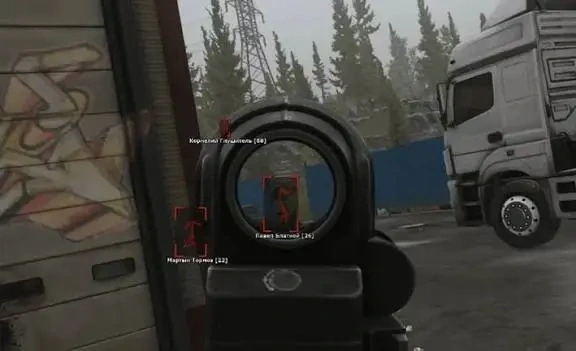
In Tarkov, income and loadouts come from pickups, cash and loot containers, weapons on crates, armor and meds scattered through raids and Offline farms. Loot aim is not combat aimbot: it is an assist layer that biases your reticle toward loot markers and interactable items inside a FOV circle, so you confirm pickups faster when you are already farming a route. Pair it with loot ESP so you see markers through walls, then tune aim so you are not snapping at every bag across the map.
Economy runs reward rhythm more than raw K/D. A tight loot FOV only pulls toward items you are already walking toward, same discipline as a small combat FOV on the aimbot guide. Silent loot aim can register an interact without a full camera whip. Auto-pickup or aggressive loot snap fires on markers in range with a timing offset; that mode is the fastest on paper and the easiest to spot on a replay, because cash pops while your view is still on a door or hallway.
How loot aim modules work on Elite
Pro stays combat-first. Elite adds loot farm helpers: loot aim toward markers, optional silent confirm, and automation sliders with humanized delay. Treat them like farm utilities, not something you leave on during raid PvP gunfights unless you accept report risk.
| Module | What it does | Replay risk |
|---|---|---|
| Loot aim (tight FOV) | Biases toward loot markers in front of you | Low–medium |
| Silent loot aim | Confirms pickups with minimal camera move | Medium |
| Auto-pickup helper | Interacts with markers in range on a timer | High |
Primary how-to: loot farm guide · Combat FOV: aimbot · Full suite: Elite.
Offline drills before Raids farms
Do not tune loot aim in a firefight. Run Offline with loot ESP only for one session, then add loot aim on a tight FOV in a quiet parking lot or shop route you know. Note pickup delay and whether your character animation still looks manual. If every register pops the instant you enter radius, widen the delay or disable auto-pickup until you are off-camera.