FEATURES
Escape from Tarkov ESP Overlay & Config Cheat
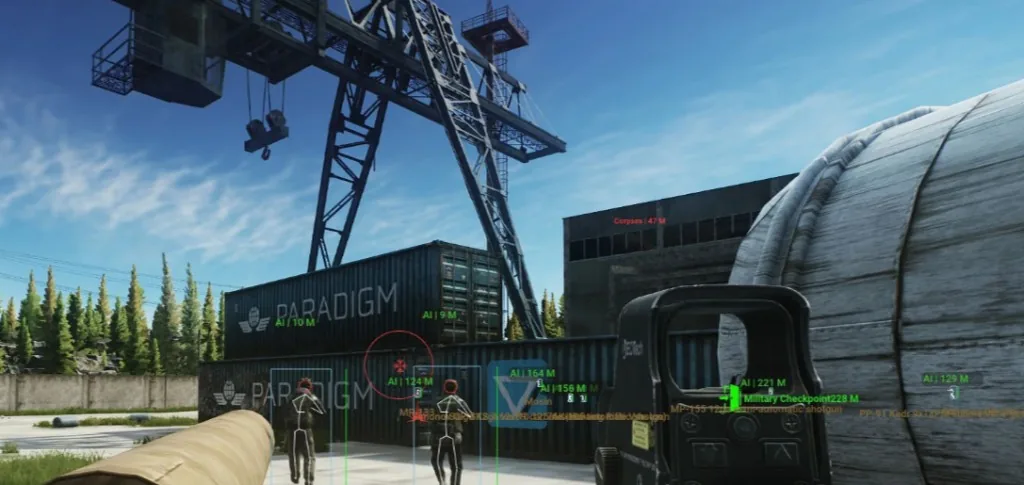
A wall of loot boxes and player skeletons looks impressive in a screenshot and useless in a fight. Tarkov Cheats gives you deep ESP and radar toggles — the win is knowing which ones to leave on for each phase of a raid.
Why noisy overlays lose fights
Every category you enable adds milliseconds of hesitation. In dorms or Interchange tech stores, you need player outlines and distance — not fifty container tags at once. Start with players, extracts, and high-value loot only.
Radar belongs on for rotate timing and extract holds. Full loot ESP belongs on during dedicated loot phases. Mixing both at max density is how people die while staring at boxes.
Phase-based toggles that work in raids
Push phase: players, distance, maybe scavs off if you trust audio. Loot phase: container filters and value thresholds. Extract phase: threats plus exit markers. Save profiles if your menu supports it — see ESP features for the full list.
PMC and Scav colours should be distinct so you do not freeze on a friendly outline. Pair colours with the ESP explainer if you are new to wallhack categories.
Keep overlays stable after patches
Wipe updates can break loot names or container IDs. After patch day, open the menu offline, reset filters, and run one Scav before a kit run. Check Updates if categories look blank.
Compare plans on Pricing if you need radar plus ESP in one license. The goal is readable information — not a Christmas tree on your screen.